 Cratebird
Cratebird.
Talk to your
music library.
Ways to talk to your Apple Music library with AI. Start with an idea, an article, or a song list. Create your next great playlist on Mac, iPhone, or iPad.
Coming to the App Store for iPhone, iPad, and Mac
US$1.99 once across all platforms
macOS 14+ · iOS 17+ · iPadOS 17+

“A late-night walk. A little cinematic. Nothing too obvious.”
One way in: ask your own AI agent on Mac.
You set the direction.You choose what reaches your library.
Good music starts
in all kinds of places.
In a conversation. In an article. In a playlist someone shared. Give Cratebird a starting point, choose the songs, and make something worth playing.
Read something good.
Make it a playlist.
A critic’s favorite songs. A festival set list. An article that sends you down a rabbit hole. Share it from Safari to Cratebird on iPhone or iPad, or paste the link.
Cratebird finds song titles and artists in the page, then suggests recordings in Apple Music. You review the matches, leave out anything you don’t want, and confirm before the playlist is created.
When available, Apple’s on-device AI helps read unfamiliar song lists. The page stays on your device for that processing. No separate agent setup.
See the web-page walkthrough1Share the page
A slow Sunday
Four songs for a day with nowhere to be.
- Sunday WindowsThe Ribbon Quartet
- A Little LongerMira & the Lanterns
- Between the PagesNorthbound Paper
- Nowhere to BeTheo Willow
2Choose the songs
Cratebird · Review SongsA slow Sunday
Review the Apple Music recordings.
- Sunday WindowsThe Ribbon Quartet
- A Little LongerMira & the Lanterns
- Between the PagesNorthbound Paper
- Nowhere to BeTheo Willow
You confirm before anything is added.
3Make time to listen

A slow Sunday
Your playlist. Your selected songs.
- 1Sunday Windows
- 2A Little Longer
- 3Between the Pages
- 4Nowhere to Be
Reading a subscriber-only article? Share it while it’s open in Safari, or paste the song-list text. You can review and edit the captured text before finding songs.
A small Mac app.
A bigger conversation.
Bring the AI agent you already use. Cratebird connects it to Apple Music so you can explore your library, find recordings, and create or extend playlists in conversation.
Ask for a mood. Build on a playlist you love. Find new artists to keep it going. Your agent brings the ideas; Cratebird handles the connection to your library.
Connect your agentWorks with compatible agents that support local MCP tools, including Codex. Keep Cratebird running on your Mac. Your agent’s subscription and fees are separate.
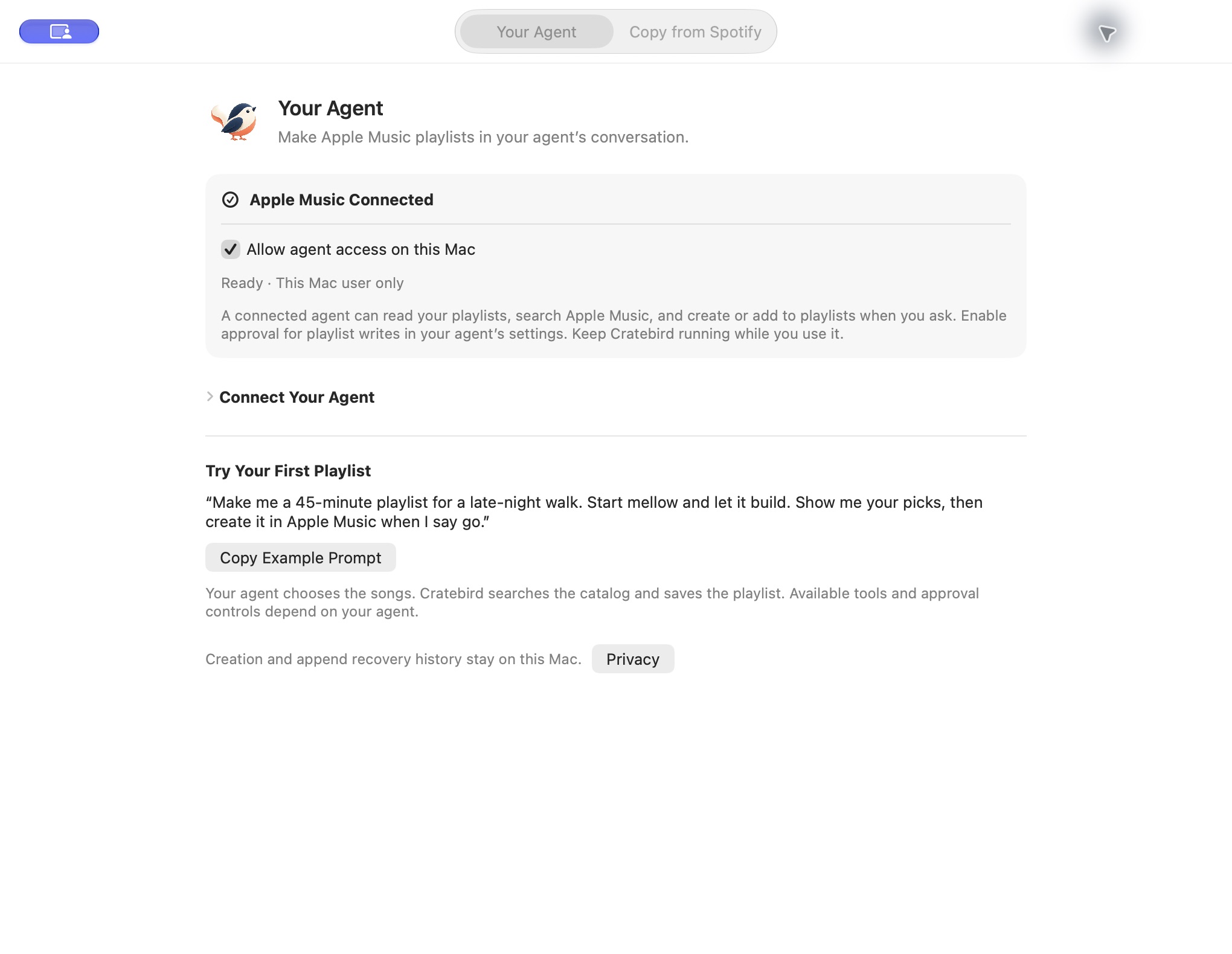
Connect once.
Connect Apple Music in Cratebird, enable agent access, and add the app’s connection settings to your agent.
Talk about the music.
Describe what you want, ask about your playlists, or find songs that belong together.
Give it the go-ahead.
Review your agent’s picks and approve the write through its controls. The playlist goes straight into your library.
Keep your
good discoveries.
Found a song list you want in Apple Music? Paste its webpage address or text into Cratebird on Mac, iPhone, or iPad. Review the recordings, choose what to include, and keep the music in your library.
Read about webpage importingYour music isn’t
our business.
We don’t receive, store, or look at your music activity. Cratebird has no developer-operated backend, ads, analytics, or tracking.
Saved pages and recovery history stay on your device. Web-page recognition runs locally, including optional on-device AI. Apple Music and your chosen agent process the requests you make through them.
Read the plain-language privacy policy